Showing posts with label MSCRM 2011. Show all posts

Thursday, October 9, 2014

Dynamics CRM 2011 recommended books

After I wrote the Dynamics CRM 2013 recommended books I realized people are still using the 2011 version, So I've decided to write also short list for Dynamics CRM 2011 book.
Most of these books I've actually read and dealt with.

Again in my point of you there is nothing like the SDK
http://msdn.microsoft.com/en-us/library/hh547453(v=crm.5).aspx

And now for the books:
Working with Microsoft Dynamics CRM 2011 (Developer Reference) 

Configure, adapt, and extend Microsoft Dynamics CRM 2011—guided by two of the leading implementation specialists in the field. Whether you’re an IT professional, a developer, or a power user, you’ll get pragmatic, hands-on insights for customizing CRM in your organization—with or without programming.


Microsoft Dynamics CRM 2011 Unleashed
One thing I have learned about CRM since I began using it is it has a million different features with a million different uses. It is a great program but only if you know how to use it. Microsoft Dynamics CRM 2011 Unleashed explains every detail of Dyanmics CRM 2011 in a way that is easy to understand. I keep this book at my desk in case there is a feature I would like to know more about or if I want to know if Dynamics CRM is capable of something. Great book for reference.

Microsoft Dynamics CRM 2011 Administration Bible
Once you purchase this book and it arrives you'll know why the title of this review says that this is the CRM 2011 book to own. This is not your 'average' CRM book. First, the book contains more than 700 pages of CRM vital information. It takes the reader from "Laying a Solid Foundation" through "Extending and Integrating". What's in between those two, nothing but pure CRM goodness; architecting the application, installing, managing data, Sales, Marketing & Service, working with Entities, Processes and more

Microsoft Dynamics CRM 2011 Application Design 
I thoroughly enjoyed reading the book. This is the only book in the market that talks about and teaches how to design solution using Microsoft Dynamics CRM 2011's various customization and extension features. This makes the book helpful to both readers who are new to CRM as well as experienced. There are total 8 chapters in the book in which readers will learn the basics of CRM 2011 and will also learn how to implement and create applications like Project Training Enrolment System, Employee Recruitment Management System, Hotel Management System etc. using CRM 2011. The readers will also get to learn how to create Silverlight applications, ASP.NET pages which integrates with CRM 2011.
A must read book for any serious CRM developer.


Good luck!

Sunday, December 9, 2012

Microsoft Dynamics CRM 2011 - Something about plugins SharedVariables

Microsoft Dynamics CRM 2011 - Something about plugins SharedVariables

My SharedVariables problem 
I had 2 plugins:
1) Pre Validation (code: 10)
2) Post Operation (code: 40)
After adding new value to SharedVariables in PreValidation, I've failed getting it in the PostOperation.

Solution:
I've found this article which explains the subject very well and helped me with my issue:
http://thomasthankachan.com/2011/08/12/pass-data-between-plug-ins-using-sharedvariables/

Summary:
PreValidation and PostOperation are running under different pipelines, and you should get SharedVariables from the parent context in PostOperation plugin and not it's own context.

MyCode:


bool isUpdate = true;
if(context.SharedVariables.Contains("SkipPlugin") && ((bool) context.SharedVariables["SkipPlugin"]))
{
  isUpdate = false;
} else if(context.ParentContext != null && context.ParentContext.SharedVariables.Contains("SkipPlugin") && ((bool) context.ParentContext.SharedVariables["SkipPlugin"])) {
  isUpdate = false;
}

Wednesday, July 4, 2012

Microsoft Dynamics CRM 2011 Validate required form javascript

Microsoft Dynamics CRM 2011 Validate required form javascript.

This code checks if form is valid for saving, by going over all required attributes and checking if it contains value.


function IsFormValidForSaving(){
var valid = true;
Xrm.Page.data.entity.attributes.forEach(function (attribute, index) {
   if (attribute.getRequiredLevel() == "required") {
      if(attribute.getValue() == null){
          if(valid){
              var control = attribute.controls.get(0);
              alert(control.getLabel() + " is missing a value");
              control.setFocus();
          }
          valid = false; 
      }
   }
});
return valid;
}
Another option is using crm system function but then it won't be supported.

Monday, June 25, 2012

Microsoft Dynamics CRM 2011 Running javascript on IE F12 developer tools

Microsoft Dynamics CRM 2011 Running javascript on IE F12 developer tool

This way it is possible to check javascript in run time on the form.

1) Open some form in the crm.
2) Press F12 -> Open the IE F12 developer tools
3) Open script tab
3) type
Xrm = document.frames["contentIFrame"].Xrm; 
Or
Xrm = frames[0].Xrm
4) Run your code

Sunday, March 25, 2012

MSCRM 2011 using whole number time zone format for parsing date time sting C#

MSCRM 2011 using whole number time zone format for parsing date time sting


Multi-international companies, often needs to take care of time zone in date time fields coming from outer systems. It gets complicated when the time zone isn't part of the date time string.
In this example I've create new whole number attribute in time zone format named new_timezone.
I've used it for translating the date time string to the right UTC date time with taking care of the day light saving.


The Idea.
1) Getting the time zone code (int) from the time zone attribute (whole number - time zone format)
2) Getting the MSCRM TimeZoneDefinition entity matching the time zone code
3) Using the MSCRM TimeZoneDefinition for getting .net TimeZoneInfo (by comparing the standard name).
4) Parse the Date Time string to DateTimeOffset.
(Thanks http://stackoverflow.com/questions/5615538/parse-a-date-string-into-a-certain-timezone-supporting-daylight-saving-time for the method)
5) Update the relevant attribute with UTC date time.


The code (C# - originally used in plugin):

//accTemp = Is account entity with time zone attribute
//GetEntityByName = is function getting the matching entity by comparing attribute to a value


//Get timezone info from account
TimeZoneDefinition timeZoneTemp;
//accTemp.new_timezone
if (accTemp.new_timezone != null)
{
        Entity timeZoneEntityTemp = GetEntityByName(localContext.OrganizationService, TimeZoneDefinition.EntityLogicalName, "timezonecode", accTemp.new_timezone.Value.ToString());
         if (timeZoneEntityTemp != null)
        {
              timeZoneTemp = timeZoneEntityTemp.ToEntity<TimeZoneDefinition>();
         }
}


//parse the datetime by account timezone
TimeZoneInfo tz = GetTimeZoneInfoByStandardName(timeZoneTemp);
string dateString = String.Format("{0} {1}",  anyEntity.new_dateString,  anyEntity.new_timeString);
DateTimeOffset dtOffset = ReadStringWithTimeZone(dateString, tz);
DateTime  dt =  dtOffset  .UtcDateTime;

anyEntity.new_datetime= dt;


public TimeZoneInfo GetTimeZoneInfoByStandardName(TimeZoneDefinition timeZoneTemp)
        {
            var timezonesInfo = TimeZoneInfo.GetSystemTimeZones();
            foreach (var timezone in timezonesInfo)
            {
                if (timezone.StandardName == timeZoneTemp.StandardName)
                {
                    return timezone;
                }
            }
            throw new Exception(String.Format("Internal Exception: Fail to get TimezoneInfo: Standard Name = {0}, TimeZone Code = {1}", timeZoneTemp.StandardName, timeZoneTemp.TimeZoneCode));
        }

public DateTimeOffset ReadStringWithTimeZone(string EnteredDate, TimeZoneInfo tzi)
{
      try
     {
            DateTimeOffset cvUTCToTZI = TimeZoneInfo.ConvertTime(DateTimeOffset.UtcNow, tzi);
            DateTimeOffset cvParsedDate = DateTimeOffset.MinValue;
            DateTimeOffset.TryParse(EnteredDate + " " + cvUTCToTZI.ToString("zzz"), out cvParsedDate);
                if (tzi.SupportsDaylightSavingTime)
                {
                    TimeSpan getDiff = tzi.GetUtcOffset(cvParsedDate);
                    string MakeFinalOffset = (getDiff.Hours < 0 ? "-" : "+") + (getDiff.Hours > 9 ? "" : "0") + getDiff.Hours + ":" + (getDiff.Minutes > 9 ? "" : "0") + getDiff.Minutes;
                 DateTimeOffset.TryParse(EnteredDate + " " + MakeFinalOffset, out cvParsedDate);
                  return cvParsedDate;
                }
                else
                {
                    return cvParsedDate;
                }
       }
       catch(Exception ex)
       {
             throw new Exception(String.Format("Fail to parse date time: {0}", EnteredDate), ex);
       }
}

Hope it helps.


Any other ideas? Have better solution for the problem? Please share them...


Wednesday, March 21, 2012

Upgrade ISV folde code from mscrm 4.0 to mscrm 2011

This is the MSDN article "Upgrade Code in the ISV folder to Microsoft Dynamics CRM 2011"
It gives almost everything one needs for making sure his code runs on mscrm 2011.
But the one thing it doesn't mention, gave me hell today.
In multi organization deployment you need to include the organization name in the path to the isv folder.
for example:
in mscrm 4.0 the path was:
http://crm2011/isv/...
In 2011 the path needed is
http://crm2011/organization name/isv...
otherwise it tries to authenticate the user with the user's default organization which might be different then the one needed.

Thanks for
http://nishantrana.wordpress.com/2011/03/17/showing-a-custom-aspx-deployed-in-isv-in-iframe-of-crm-form-crm-2011/. Without it I would have kept struggling with the code upgrade for quite some time.

One last thing:
It is better to really upgrade the code in ISV folder into something that stands by its own like WebResource(HTML, Silverlight) or separate asp.net application with it's own application pool. The ISV folder is officially deprecated.

Saturday, February 11, 2012

MSCRM 2011 javascript validate lead qulify javascript

Sometimes validation of fields is needed before qualifying a lead.
Setting the fields to be required isn't good enough, because there is no need to require the fields for every save.
It can be done using javascript on form save event.

Check if the save mode equals 16 (lead qualify) by using

ExecutionObj.getEventArgs().getSaveMode()

Use prevent default to prevent the page from saving and qualifying.
ExecutionObj.getEventArgs().preventDefault()


Microsoft link about preventDefault
http://msdn.microsoft.com/en-us/library/gg509060.aspx#BKMK_preventDefault

Microsoft link about getsavemode
http://msdn.microsoft.com/en-us/library/gg509060.aspx#BKMK_GetSaveMode

Good wiki that extends more about getsavemode and preventDefault
http://social.technet.microsoft.com/wiki/contents/articles/4122.aspx


MSCRM 2011 get optionset value (int) by its label (string) c#


This is here that I'll stop forgetting it and look for it everywhere.


internal int GetOptionsSetValueByText(Xrm.XrmServiceContext xrmService, string entityName, string attributeName, string optionSetTextValue)
    {
        RetrieveAttributeRequest retrieveAttributeRequest = new RetrieveAttributeRequest
        {
            EntityLogicalName = entityName,
            LogicalName = attributeName,
            RetrieveAsIfPublished = true
        };
        RetrieveAttributeResponse retrieveAttributeResponse = (RetrieveAttributeResponse)xrmService.Execut(retrieveAttributeRequest);
        if (retrieveAttributeResponse != null)
        {
            PicklistAttributeMetadata optionsetAttributeMetadata = retrieveAttributeResponse.AttributeMetadata as PicklistAttributeMetadata;
            if (optionsetAttributeMetadata != null)
            {
                OptionMetadata[] optionsetList = optionsetAttributeMetadata.OptionSet.Options.ToArray();
                foreach (OptionMetadata optionsetMetaData in optionsetList)
                {
                    if (optionsetMetaData.Label.UserLocalizedLabel.Label == optionSetTextValue)
                    {
                        return optionsetMetaData.Value.Value;
                    }
                }
            }
        }
        return -1;
    }

Thursday, February 9, 2012

MSCRM 2011 early binding plugin using developer toolkit

In the past I've created a walkthough blog about how to create plugin running early binding in online environment.

This is the another option (easier one) for creating it using CRM developer toolkit which comes with the Dynamics CRM 2011 SDK.

General knowledge about CRM developr toolkit

Other good step by step blog for building plugin using developer toolkit

Creating plugin using developer toolkit:

1) Install CRM developer toolkit
2) Create new developer Project
3) Create new plugin project. The great thing about it, it comes with all the relevant references in it.
4) Generate the wrapper (CrmSvcUtil)
5) Choose the entity you wish to add plugin for
6) Choose plugin configuration


And that's it, Start writing plugins..

Monday, January 9, 2012

MSCRM change record owner (Assign) Javascript


MSCRM change record owner (Assign).

How to add JavaScript to owner change:
On create form - It's not an assign event yet, just had OnChange event to the owner's control on the form and the code will run.
On update form - This is trickier, because every time the owner changes the OnChange event won't fire and instead thee save event is fired on the form. In order to catch it with JavaScript add code to the OnSave event.
var SAVED_MODE_ASSIGN = 47;
function onSave(ExecutionObj)
{
     if(ExecutionObj.getEventArgs().getSaveMode() == SAVED_MODE_ASSIGN)
    {
           //Do something after record assigned
    }
}


The good and the bad of how to tackle the problem:
JavaScript:
The same way I've just presented.
The Good: Easy to add code (JS), The users will see the results straight a way.
The Bad: it won't run when user assigning owner from the grid, youy needs to know JavaScript.

Proccess - Workflow
Create new Process and set it to fire on "Record is assigned".
It's async and the user will see the results of the process only after few seconds.
The Good: Easy to implement, the process will work after all assign event no matter where the user perform them.
The Bad: The user will see the result only after few seconds and it's limited to process capabilities.

Plugins
Create new plugin on event - Assign.
Write done the logic or get someone do to it for you.
The Good: Works any way you want it to and in any condition you want.
The Bad: You'll needs to know how to write plugins. Takes a bit more time (It's done outside the CRM)

Sunday, January 1, 2012

MSCRM 2011 depended optionset

There is no need to create something that is already there.
There is a very good (generic) solution for depended optionset (picklist) in the SDK.

The problem is it's technical solution, That's mean you'll probably need developer next to you when you do it the first time. 

Maybe I'll create GUI for it one day. :)

Tuesday, December 13, 2011

Using tinyMCE in Dynamics CRM 2011

Using tinyMCE in Dynamics CRM 2011

Based on htmlbox - dynamics crm 2011 integretion described in here:

https://community.dynamics.com/product/crm/crmnontechnical/b/crmsoftwareblog/archive/2011/06/27/adding-wysiwyg-editor-to-textarea-in-microsoft-dynamics-crm-part-2-crm-2011.aspx

There are other tinyMCE - Dynamics crm 2011 integrations on the web for exmaple:
http://procentrix.com/Community/BrendenS/post.aspx?ID=13

IMPORTANT: This solution is unsupported.

Dynamics crm TinyMCE

Walkthrough:
  1. Get the minified Jquery from
    http://jquery.com/
  2. Get the tinyMCE
    http://www.tinymce.com/download/download.php
  3. Use the web resource util as described here
    http://blog.customereffective.com/blog/2011/06/using-crm-2011-web-resource-utility.html
  4. Add the jquery and tinymce to the entity form
  5. Create new web resource with the following code and add it to the form
    
    var textAreaName = "new_description";
    
    function onLoad(textarea)
    {
     textAreaName = textarea;
     Xrm.Page.getAttribute(textAreaName).setSubmitMode("always");
     //Xrm.Page.getControl("new_description").setVisible(false);
     //$('#new_description').css("width", "90%").css("height", "10%");
     $('#' + textAreaName + '_d').append('<textarea id="wysiwyg" name="wysiwyg" style="width:90%;height:90%;">' + $("#" + textAreaName).val() + '</textarea>');
     $('#' + textAreaName).hide();
    
     tinyMCE.init({
      mode : "exact",
      elements : "wysiwyg",
      theme : "advanced",
      plugins : "autolink,lists,pagebreak,style,layer,table,save,advhr,advimage,advlink,emotions,iespell,insertdatetime,preview,media,searchreplace,print,contextmenu,paste,directionality,fullscreen,noneditable,visualchars,nonbreaking,xhtmlxtras,template,inlinepopups,autosave",
      theme_advanced_buttons1 : "newdocument,|,bold,italic,underline,|,justifyleft,justifycenter,justifyright,fontselect,fontsizeselect,formatselect",
      theme_advanced_buttons2 : "cut,copy,paste,|,bullist,numlist,|,outdent,indent,|,undo,redo,|,link,unlink,anchor,image,|,code,preview,|,forecolor,backcolor",
      theme_advanced_buttons3 : "insertdate,inserttime,|,spellchecker,advhr,,removeformat,|,sub,sup,|,charmap,emotions", 
      theme_advanced_toolbar_location : "top",
      theme_advanced_toolbar_align : "left",
      theme_advanced_statusbar_location : "bottom",
      theme_advanced_resizing : true,
      onchange_callback : "myCustomOnChangeHandler"
     });
    }
    
    function myCustomOnChangeHandler(inst) {
      if(inst.isDirty()) {
       inst.save();
      }
      Xrm.Page.getAttribute(textAreaName).setValue($('#wysiwyg').val());
      return true;
    }
    
    function onSave()
    {
     for (var i=0; i<tinymce.editors.length; i++) {
      tinyMCE.execCommand('mceRemoveControl',false, tinymce.editors[i].id); 
     };
     $('#wysiwyg').remove();
    }
    
  6. Add new onload event: function name: onLoad Parameter: "the attribute schema name"
  7. Add new onsave event: function name: onSave 
  8. Save and publish...


You can download an example here (Replaces the entity task!):
unmanaged solution:
managed solution:


Monday, December 12, 2011

MSCRM 2011 performance and mcafee

We had major performance issues with Microsoft Dynamics CRM 2011 on premise.
The main bottleneck for the performance was not the latency or Javascripts but the Mcafee antivirus installed on the clients computers.
More information about the problem and the solution can be found in the following links:
http://support.microsoft.com/kb/924341
http://community.dynamics.com/product/crm/crmtechnical/b/crminthefield/archive/2011/01/24/anti-virus-exclusions-for-microsoft-dynamics-crm.aspx
http://blog.customereffective.com/blog/2008/08/disable-mcafee.html

Monday, November 28, 2011

Dynamics crm 2011 n to n lookup

N:N lookup in Dynamics CRM 2011.

For to 4.0 version: http://dynamicslollipops.blogspot.com/2011/07/mscrm-40-nn-lookup-field.html

Prerequest customization:
1) 1:N relation, and lookup placed on the form.
2) N:N relationship for holding the values.

Walkthrough:
1) Create new javascript webresource with the following code:

var CRM_FORM_TYPE_CREATE = 1;

RetreiveAssociatedEntities = function(relationshipSchemaName, entity1SchemaName, entity1KeyValue, retreiveAttribute) {
    var fetchXml = "<fetch mapping='logical'>"
    + "  <entity name='" + relationshipSchemaName + "'>"
    + "    <all-attributes />"
    + "    <filter>"
    + "      <condition attribute='" + entity1SchemaName + "id' operator='eq' value ='" + entity1KeyValue + "' />"
    + "    </filter>"
    + "  </entity>"
    + "</fetch>";

    var fetchResults = Fetch(fetchXml);

    var nodeList = fetchResults.selectNodes("resultset/result");

    var returnList = new Array();
    if (nodeList == null || nodeList.length == 0) {
        return returnList;
    } else {
        for (i = 0; i < nodeList.length; i++) {
            var idValue = nodeList[i].selectSingleNode('./' + retreiveAttribute).nodeTypedValue;
            returnList[i] = idValue;
        }
        return returnList;
    }
}
MischiefMayhemSOAP = function(serviceUrl, xmlSoapBody, soapActionHeader, suppressError) {
    var xmlReq = "<?xml version='1.0' encoding='utf-8'?>"
    + "<soap:Envelope xmlns:soap='http://schemas.xmlsoap.org/soap/envelope/'"
    + "  xmlns:xsi='http://www.w3.org/2001/XMLSchema-instance'"
    + "  xmlns:xsd='http://www.w3.org/2001/XMLSchema'>"
    + GenerateAuthenticationHeader()
    + "  <soap:Body>"
    + xmlSoapBody
    + "  </soap:Body>"
    + "</soap:Envelope>";

    var httpObj = new ActiveXObject("Msxml2.XMLHTTP");

    httpObj.open("POST", serviceUrl, false);

    httpObj.setRequestHeader("SOAPAction", soapActionHeader);
    httpObj.setRequestHeader("Content-Type", "text/xml; charset=utf-8");
    httpObj.setRequestHeader("Content-Length", xmlReq.length);

    httpObj.send(xmlReq);

    var resultXml = httpObj.responseXML;

    var errorCount = resultXml.selectNodes("//error").length;
    if (errorCount != 0) {
        var msg = resultXml.selectSingleNode("//description").nodeTypedValue;

        if (typeof (suppressError) == "undefined" || suppressError == null) {
            alert("The following error was encountered: " + msg);
        }

        return null;
    } else {
        return resultXml;
    }
}

Fetch = function(fetchXml) {
    var xmlSoapBody = "<Fetch xmlns='http://schemas.microsoft.com/crm/2007/WebServices'>"
    + "  <fetchXml>"
    + FetchEncode(fetchXml)
    + "  </fetchXml>"
    + "</Fetch>";

    var fetchResponse = MischiefMayhemSOAP("/MSCRMServices/2007/CrmService.asmx", xmlSoapBody, "http://schemas.microsoft.com/crm/2007/WebServices/Fetch");

    if (fetchResponse != null) {
        var fetchResults = new ActiveXObject("Msxml2.DOMDocument");

        fetchResults.async = false;
        fetchResults.resolveExternals = false;
        fetchResults.loadXML(fetchResponse.text);

        return fetchResults;
    } else {
        return null;
    }
}
FetchEncode = function(strInput) //_HtmlEncode
{
    var c;
    var HtmlEncode = '';

    if (strInput == null) {
        return null;
    }
    if (strInput == '') {
        return '';
    }

    for (var cnt = 0; cnt < strInput.length; cnt++) {
        c = strInput.charCodeAt(cnt);

        if (((c > 96) && (c < 123)) ||
  ((c > 64) && (c < 91)) ||
  (c == 32) ||
  ((c > 47) && (c < 58)) ||
  (c == 46) ||
  (c == 44) ||
  (c == 45) ||
  (c == 95)) {
            HtmlEncode = HtmlEncode + String.fromCharCode(c);
        }
        else {
            HtmlEncode = HtmlEncode + '&#' + c + ';';
        }
    }

    return HtmlEncode;
}

AssociateEntities = function(moniker1name, moniker1id, moniker2name, moniker2id, RelationshipName) {
    var authenticationHeader = GenerateAuthenticationHeader();
    // Prepare the SOAP message.
    var xml = "<?xml version='1.0' encoding='utf-8'?>";
    xml += "<soap:Envelope xmlns:soap='http://schemas.xmlsoap.org/soap/envelope/' xmlns:xsi='http://www.w3.org/2001/XMLSchema-instance\' xmlns:xsd='http://www.w3.org/2001/XMLSchema\'>";
    xml += authenticationHeader;
    xml += "<soap:Body><Execute xmlns='http://schemas.microsoft.com/crm/2007/WebServices'><Request xsi:type='AssociateEntitiesRequest'>";
    xml += "<Moniker1><Id xmlns='http://schemas.microsoft.com/crm/2006/CoreTypes'>" + moniker1id + "</Id>";
    xml += "<Name xmlns='http://schemas.microsoft.com/crm/2006/CoreTypes'>" + moniker1name + "</Name></Moniker1>";
    xml += "<Moniker2><Id xmlns='http://schemas.microsoft.com/crm/2006/CoreTypes'>" + moniker2id + "</Id>";
    xml += "<Name xmlns='http://schemas.microsoft.com/crm/2006/CoreTypes'>" + moniker2name + "</Name></Moniker2>";
    xml += "<RelationshipName>" + RelationshipName + "</RelationshipName>";
    xml += "</Request></Execute></soap:Body></soap:Envelope>";

    // Prepare the xmlHttpObject and send the request.
    var xHReq = new ActiveXObject("Msxml2.XMLHTTP");
    xHReq.Open("POST", "/mscrmservices/2007/CrmService.asmx", false);
    xHReq.setRequestHeader("SOAPAction", "http://schemas.microsoft.com/crm/2007/WebServices/Execute");
    xHReq.setRequestHeader("Content-Type", "text/xml; charset=utf-8");
    xHReq.setRequestHeader("Content-Length", xml.length);
    xHReq.send(xml);

    // Capture the result.
    var resultXml = xHReq.responseXML;

    // Check for errors.
    var errorCount = resultXml.selectNodes('//error').length;

    if (errorCount != 0) {
        var msg = resultXml.selectSingleNode('//description').nodeTypedValue;
        alert(msg);
    }
}

DisassociateEntities = function(moniker1name, moniker1id, moniker2name, moniker2id, RelationshipName) {
    var authenticationHeader = GenerateAuthenticationHeader();
    // Prepare the SOAP message.
    var xml = "<?xml version='1.0' encoding='utf-8'?>";
    xml += "<soap:Envelope xmlns:soap='http://schemas.xmlsoap.org/soap/envelope/' xmlns:xsi='http://www.w3.org/2001/XMLSchema-instance\' xmlns:xsd='http://www.w3.org/2001/XMLSchema\'>";
    xml += authenticationHeader;
    xml += "<soap:Body><Execute xmlns='http://schemas.microsoft.com/crm/2007/WebServices'><Request xsi:type='DisassociateEntitiesRequest'>";
    xml += "<Moniker1><Id xmlns='http://schemas.microsoft.com/crm/2006/CoreTypes'>" + moniker1id + "</Id>";
    xml += "<Name xmlns='http://schemas.microsoft.com/crm/2006/CoreTypes'>" + moniker1name + "</Name></Moniker1>";
    xml += "<Moniker2><Id xmlns='http://schemas.microsoft.com/crm/2006/CoreTypes'>" + moniker2id + "</Id>";
    xml += "<Name xmlns='http://schemas.microsoft.com/crm/2006/CoreTypes'>" + moniker2name + "</Name></Moniker2>";
    xml += "<RelationshipName>" + RelationshipName + "</RelationshipName>";
    xml += "</Request></Execute></soap:Body></soap:Envelope>";

    // Prepare the xmlHttpObject and send the request.
    var xHReq = new ActiveXObject("Msxml2.XMLHTTP");
    xHReq.Open("POST", "/mscrmservices/2007/CrmService.asmx", false);
    xHReq.setRequestHeader("SOAPAction", "http://schemas.microsoft.com/crm/2007/WebServices/Execute");
    xHReq.setRequestHeader("Content-Type", "text/xml; charset=utf-8");
    xHReq.setRequestHeader("Content-Length", xml.length);
    xHReq.send(xml);

    // Capture the result.
    var resultXml = xHReq.responseXML;

    // Check for errors.
    var errorCount = resultXml.selectNodes('//error').length;

    if (errorCount != 0) {
        var msg = resultXml.selectSingleNode('//description').nodeTypedValue;
        alert(msg);
    }
}

//returns the item location in array if not found -1
GetIndexFromArray = function(item, recordArr) {
    for (var i = 0; i < recordArr.length; i++) {
        if (recordArr[i] != null && recordArr[i].id == item) {
            return i;
        }
    }
    return -1;
}

/*"new_new_entity1_new_entity2new","new_multynewid", "new_entity2", "new_name"*/
FillMultiLookup = function(relationshipSchemaName, lookupSchemaName, relatedEntitySchemaName, relatedEntityPrimaryAttributeSchemaName) {
    var relatedValues = RetreiveAssociatedEntities(relationshipSchemaName, Xrm.Page.data.entity.getEntityName(), Xrm.Page.data.entity.getId(), relatedEntitySchemaName + "id");
    var value = new Array();
    for (var i = 0; i < relatedValues.length; i++) {
        value[i] = new Object();
        value[i].id = relatedValues[i];
        value[i].name = RetreiveAssociatedEntities(relatedEntitySchemaName, relatedEntitySchemaName, relatedValues[i], relatedEntityPrimaryAttributeSchemaName)[0];
        value[i].typename = relatedEntitySchemaName;
    }
 crmForm.all[lookupSchemaName].DataValue = value;
}

UpdateN2N = function(nnId, relatedEntitySchemaName, relatedEntitySchemaId, lookupSchemaName) {
    var oldValues = RetreiveAssociatedEntities(nnId, Xrm.Page.data.entity.getEntityName(), Xrm.Page.data.entity.getId(), relatedEntitySchemaId);
 var value = crmForm.all[lookupSchemaName].DataValue;
    //if there's records in lookup
    if (value != null) {
        //go over all the related records and remove them if not in the new list (lookup)
        var temp = value;
        for (var i = 0; i < oldValues.length; i++) {
            //if not in the new list disassociate them
            var index = GetIndexFromArray(oldValues[i], temp);
            if (index == -1) {
                DisassociateEntities(Xrm.Page.data.entity.getEntityName(), Xrm.Page.data.entity.getId(), relatedEntitySchemaName, oldValues[i], nnId);
            }
            else { // if in the list remove them from the list
                temp[index] = null;
            }
        } //ends for
        //go over all the remaining records and associate them
        for (var i = 0; i < temp.length; i++) {
            if (temp[i] != null) {
                AssociateEntities(Xrm.Page.data.entity.getEntityName(), Xrm.Page.data.entity.getId(), relatedEntitySchemaName, temp[i].id, nnId);
            }
        }
    }
    else if (oldValues != null) {
        for (var i = 0; i < oldValues.length; i++) {
            DisassociateEntities(Xrm.Page.data.entity.getEntityName(), Xrm.Page.data.entity.getId(), relatedEntitySchemaName, oldValues[i], nnId);
        }
    }
}

FilterN2NLookup = function(filterByLookup, filterLookup, entityName, nnName, nnFrom, linkedEntityName, linkedAttributeName) {
    var filter = '';
    var values = filterByLookup.DataValue;
    if (values != null) {
        //filter = '<filters><filter entity="' + entityName + '"><condition attribute="' + attributeName + '" operator="in">';
        //for (var i = 0; i < values.length; i++) {
        //    filter += '<value uiname="' + values[i].name + '">' + values[i].id + '</value>';
        // }
        //filter += '</condition></filter></filters>';

        filter = '<link-entity entity="' + entityName + '" name="' + nnName + '" from="' + nnFrom + '" to="' + nnFrom + '" visible="false" intersect="true"><link-entity name="' + linkedEntityName + '" from="' + linkedAttributeName + '" to="' + linkedAttributeName + '"><filter type="and"><condition attribute="' + linkedAttributeName + '" operator="in">';
        for (var i = 0; i < values.length; i++) {
            filter += '<value uiname="' + values[i].name + '">' + values[i].id + '</value>';
        }
        filter += '</condition></filter></link-entity></link-entity>';

    }
    filterLookup.AddParam('filters', filter);
}

/*"new_new_entity1_new_entity2new","new_multynewid", "new_entity2", "new_name"*/
function ConvertN2N(relationshipSchemaName, lookupSchemaName, relatedEntitySchemaName, relatedEntityPrimaryAttributeSchemaName)
{
 document.getElementById(lookupSchemaName).setAttribute("lookupstyle", "multi");
 document.getElementById(lookupSchemaName).setAttribute("_lookupstyle", "multi");

 document.getElementById(lookupSchemaName).onchange = function(){UpdateN2N(relationshipSchemaName, relatedEntitySchemaName, relatedEntitySchemaName + "id", lookupSchemaName)};

 Xrm.Page.getAttribute(lookupSchemaName).setSubmitMode("never");

 if (crmForm.FormType != CRM_FORM_TYPE_CREATE) {
  FillMultiLookup(relationshipSchemaName, lookupSchemaName, relatedEntitySchemaName, relatedEntityPrimaryAttributeSchemaName);
 }
 else {
  Xrm.Page.getControl(lookupSchemaName).setDisabled(true);
 }
}

2) Add it to the form
3) Add to the onload 
   3.1) Function: ConvertN2N
   3.2) Parameters: N:N Relationship name, lookup attribute name, Related Entity Schema Name, Related Entity Primary Attribute Schema Name
(Example: "new_incident_new_problem", "new_problemid", "new_problem", "new_name")


That's it, everything else is inside the code. 
Plug and Play.

Sunday, November 20, 2011

Microsoft Dynamics CRM 2011 crmForm workaround


There is a problem when checking attributes value, after the user clicks on ribbon button without losing focus of the attribute.

Description:

1) I've register the ribbon button event to something like:
if(Xrm.Page.getAttribute("new_test").getValue() != null)
{
alert("aaaaa");
2) User clicks the ribbon button when the attribute is empty
3) Get's alert
4) User insert text to the attribute and clicks again 
5) Get's alert

When user isn't getting out (clicks out side) of the attribute's textbox the value, gets from Xrm.Page.getAttribute("xxxx").getValue(), remains the old value but if he does (just click out side the textbox) everything works.

After changing the code to the old (CRM 4) javascript syntact:
if(crmForm.all.new_test.DataValue != null)
{
     alert("AAAA");
}

Everything worked great! Even when the focus still on the textbox.

This is a workaround.

Tuesday, November 15, 2011

MSCRM 2011 Set Guid (Any Entity Id) Plugin

MSCRM 2011 Set Guid (Any Entity Id) Plugin

http://dynamicslollipops.blogspot.com/2011/10/mscrm-2011-workflow-assembly-get.html

Because it's impossiable to use workflow assembly in Microsoft Dynamics CRM 2011,
This is the piece of code needed for creating plugin that's sets any entity GUID into any test field you choose.


using System;
using System.Collections.Generic;
using System.Linq;
using System.Text;
using Microsoft.Xrm.Sdk;

namespace MSCRM2011SetGuidPlugin
{
    public class MSCRM2011SetGuidPlugin : IPlugin
    {
        public readonly string rAttributeSchemaName = "new_guid";
        public string m_SecureConfig { get; set; }
        public string m_Config { get; set; }

        public MSCRM2011SetGuidPlugin(string i_Config, string i_SecureConfig)
        {
            m_Config = i_Config;
            m_SecureConfig = i_SecureConfig;
        }


        /// <summary>
        /// A plugin that creates a follow-up task activity when a new account is created.
        /// </summary>
        /// <remarks>Register this plug-in on the Create message, account entity,
        /// and asynchronous mode.
        /// </remarks>
        public void Execute(IServiceProvider serviceProvider)
        {
            //Extract the tracing service for use in debugging sandboxed plug-ins.
            ITracingService tracingService =
                (ITracingService)serviceProvider.GetService(typeof(ITracingService));

            // Obtain the execution context from the service provider.
            IPluginExecutionContext context = (IPluginExecutionContext)
                serviceProvider.GetService(typeof(IPluginExecutionContext));
            IOrganizationServiceFactory serviceFactory = (IOrganizationServiceFactory)serviceProvider.GetService(typeof(IOrganizationServiceFactory));
            IOrganizationService service = serviceFactory.CreateOrganizationService(context.UserId);

            tracingService.Trace("Config: " + m_Config);
            string attr = rAttributeSchemaName;
            if (!String.IsNullOrEmpty(m_Config))
            {
                attr = m_Config;
            }
            tracingService.Trace("attr: " + attr);
            tracingService.Trace("id: " + context.PrimaryEntityId);
            Guid id = context.PrimaryEntityId;

            Entity entity = new Entity(context.PrimaryEntityName);
            entity.Id = id;
            entity.Attributes.Add(attr, id.ToString());
            service.Update(entity);
        }
    }

}

If no attribute is in the configuration, then it tries to place the GUID into new_guid.

The complate code project and dll

Friday, November 4, 2011

MSCRM 2011 Debug plugin

I've just read it and wanted to share it.
http://msdn.microsoft.com/en-us/library/hh372952.aspx

It helps debuging plugins even when the Dynamics CRM is ONLINE.
It is great for unit testing.

It is what i was looking for.

Thursday, November 3, 2011

Dynamics CRM 2011 record hyperlink

Dynamics CRM 2011 record hyperlink.

Finally
Microsoft added Insert Hyperlink to send email / email templates in MSCRM 2011 Rollup 5.

The workarounds are finally uneeded anymore.

Walkthrough:
1) Go to send email in workflow
2) Insert text for display
3) insert the Record URLto the url field.
4) Click on OK.


Monday, October 31, 2011

MSCrm 2011 - Workflow Assembly Get Current Entity ID


MSCrm 2011 - Workflow Assembly Get Current Entity ID

This is a workflow assembly that returns the current record ID (Guid) in Dynamics crm 2011.
There is only one drawback, It won't work in Dynamics CRM 2011 ONLINE because workflow assemblies aren't supported there.

Code:

    public class GetEntityId : CodeActivity
    {
        protected override void Execute(CodeActivityContext executionContext)
        {
            //Create the tracing service
            ITracingService tracingService = executionContext.GetExtension<ITracingService>();

            IWorkflowContext context = executionContext.GetExtension<IWorkflowContext>();
            EntityId.Set(executionContext, context.PrimaryEntityId.ToString());
        }

        [Output("Entity Id")]
        public OutArgument<string> EntityId { get; set; }
    }


Walkthrough:
1) Copy the .dll from the bin folder to <%CRM folder%>\Server\bin\assembly
2) Use the plugin registration tool to register the workflow assembly
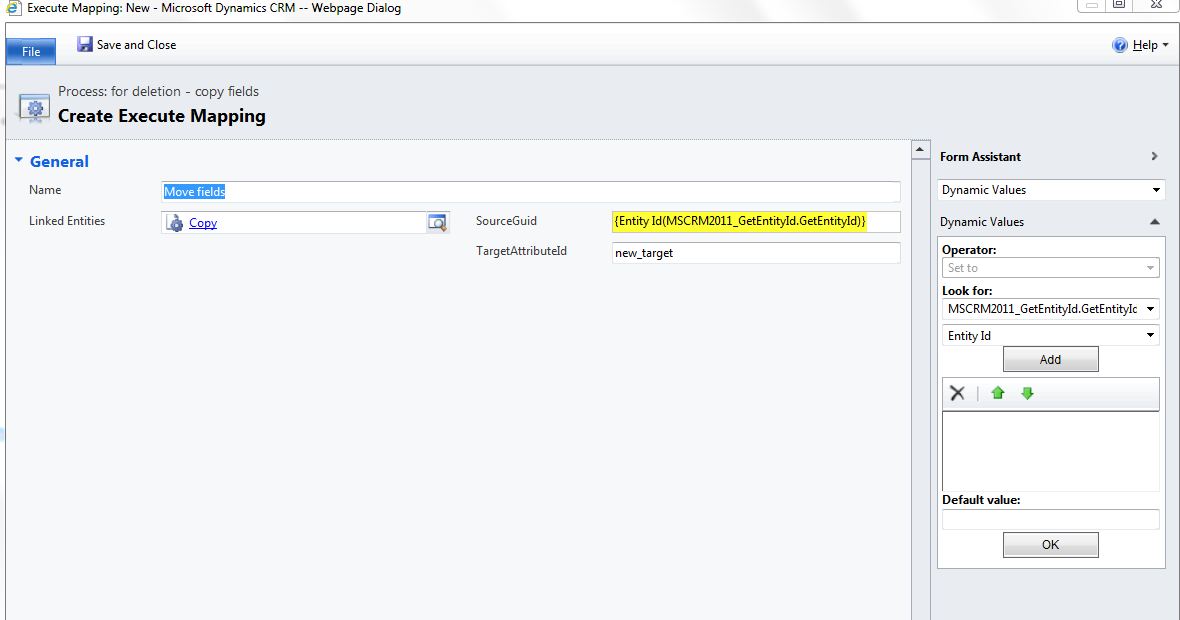
3) Now you should be able to see it in the Workflow window:


4) After you added it to the Workflow you can use it:


Download Link: https://docs.google.com/open?id=0B8k6R6QcCN7INjU2ZjIwMGQtYTBjYy00MmQ1LWI1ZWQtODg0OWViYmQ3YzRl


Dynamics CRM 2011 ONLINE users walkaround:
Create plugin on post create step insert the id to some text field.
The plugin has advantage, as it will work on all environments

Plugin version: http://dynamicslollipops.blogspot.com/2011/11/mscrm-2011-get-guid-plugin.html

Sunday, October 16, 2011

MSCRM 2011 Javascript save and close

In 2011 This script doesn't work:
1. Xrm.Page.data.entity.save();
2. window.close();


CRM 4.0 Code (Worked great):
 crmForm.Save();
 window.close();


The solution in 2011:
Xrm.Page.data.entity.save("saveandclose")

The right why in 4.0
crmForm.SaveAndClose();


and just for closing the window
Xrm.Page.ui.close();